
Feature 12 / Trust

Every Monday, in your inbox, the truth about last week.

Numbers you can forward. What changed, what the crew did about it, what needs a person, and what it cost, per brand.

What you see

Home: your score in plain words, the streak, and the one thing to do next.

Overview: eight headline numbers over 7, 30 or 90 days, each compared with the same length of time before it.

Reports: a PDF per brand per period, branded, ready to send to a client or a co-founder.

The Monday email: every brand, the crew's week, what needs you, spend against the cap.
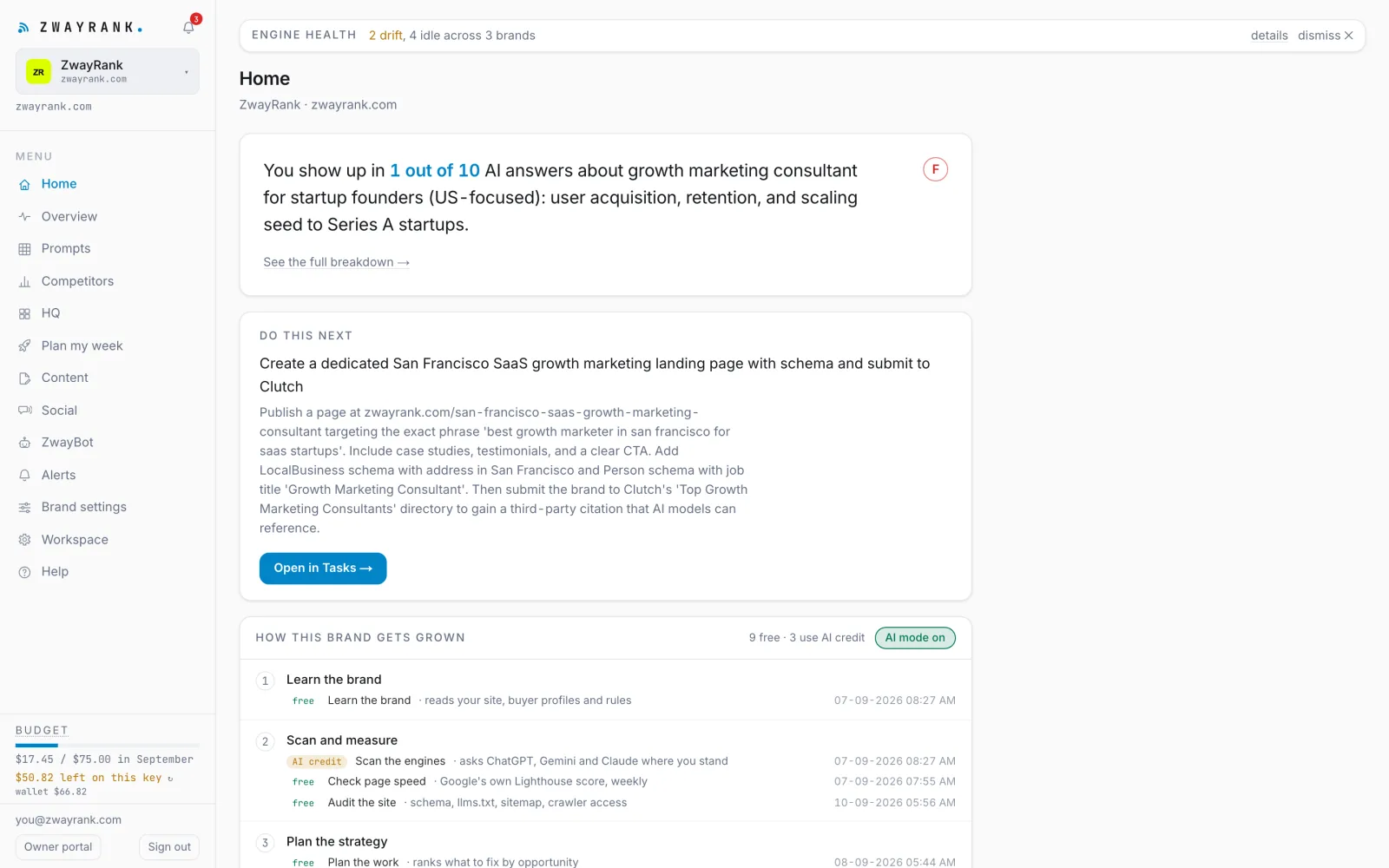
The Home screen: your score in plain words, the streak, and what to do next
What the crew does on its own
  • Sends the weekly report every Monday morning to every member of the workspace
  • Builds PDF reports on demand and keeps them
  • Keeps every number comparable: the same period before, always
What waits for you
  • Forward the email, or switch it off in Workspace settings

Why the comparison is fixed

Growth tools love a chart that starts at a low point. The Overview compares the last 7 days with the 7 before, the last 30 with the 30 before, and so on. A quiet week shows as a quiet week. That is the only way the number can be trusted by someone who did not build the tool.

The Monday email

Per brand: visibility and share of voice with the change; the crew's counts for the week: scans, pages, posts, fixes; open needs-you alerts; crew health; spend against the cap. It reads in a minute and it forwards cleanly.

PDF reports for people who were not in the app

A report per brand per period, branded, with the same numbers as the screen. Agencies use them for clients; founders use them for investors and co-founders.

Can other people in my company get the email?

Yes. Every member of the workspace gets it.

See it on your own brand.

Add one brand. The first scan is free and takes a few minutes. Then you decide whether the crew gets to work.

Seven days. One brand. Your keys after the first scan.