Feature 09 / Act

Posts that come from the data, not from a content calendar template.

The social crew reads the same gaps the writers read, plans the week around them, makes the visuals, and waits for your yes.

What you see

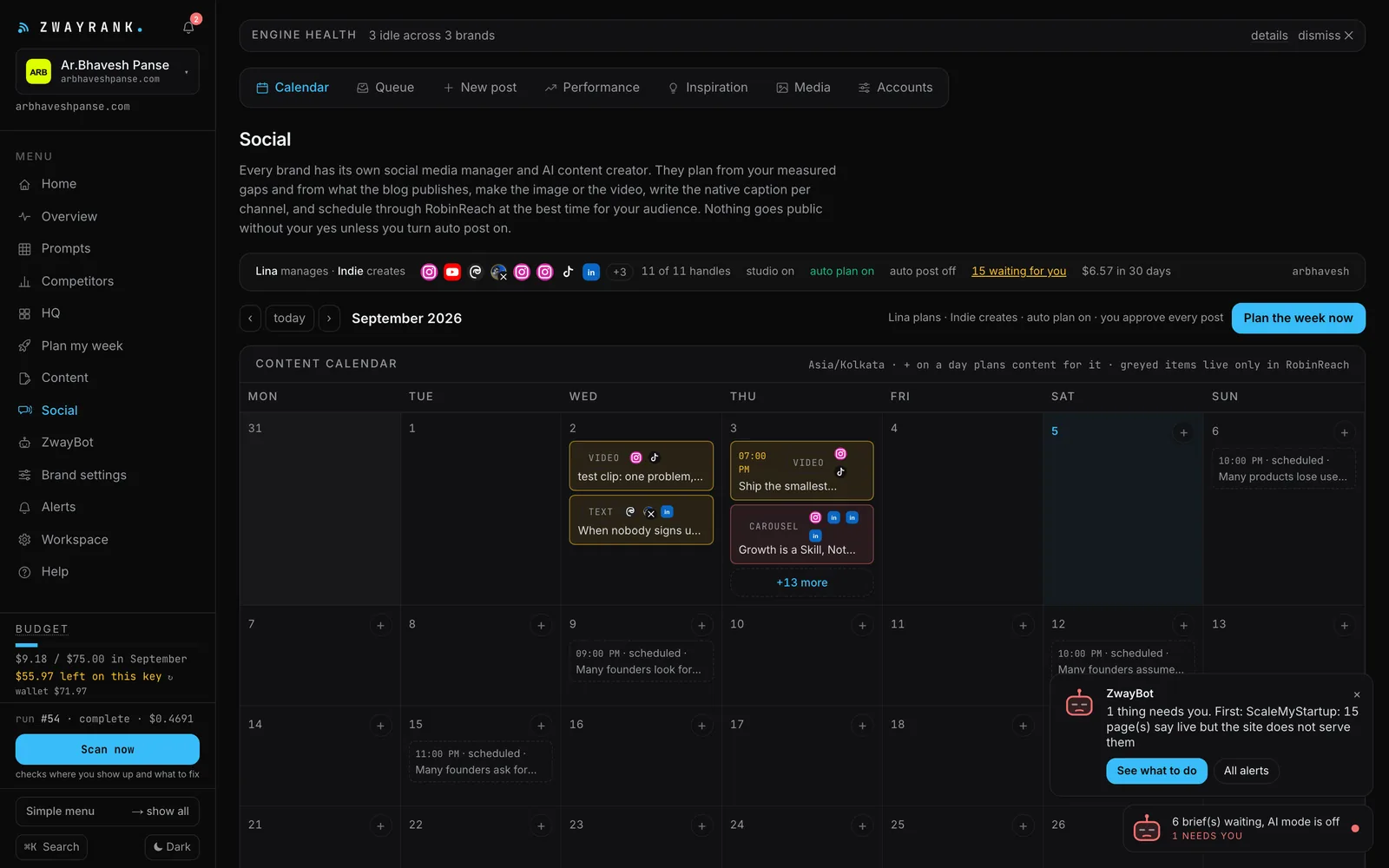
Calendar: what goes out when, per channel, with previews.

Queue: posts waiting for your yes, with the image or clip playable in place, and a rework button with a note.

Performance: posts, impressions, likes and reach over 7, 14 or 30 days, per channel, pulled back from the platforms.

Media: your logo, founder photos, product shots and every generated visual, as a library the creator draws from.

The Social calendar: planned, made, approved and scheduled posts for the week
What the crew does on its own
  • Plans the week from measured gaps and from articles that just went live
  • Writes captions in your voice and makes stills, carousels and short clips on your keys
  • Reviews its own work against the brand kit and reworks it before you see it
  • Schedules approved posts and pulls performance back so next week's plan learns
What waits for you
  • Approve or rework in the Queue, unless you switch auto-post on
  • Pick the social tier: text only, up to the full mix of stills, carousels and clips
  • Social is switched on per workspace: ask from the Social screen and the owner enables it

Why social comes from the same data

A losing question is a post as much as it is a page. When the engines name a rival for "how to choose X", a carousel that answers that question honestly gets saved and shared, and it points at the page the writers made. The social crew plans from that list, not from a template of "motivational Monday".

Four tiers, so the spend is yours

Text only costs nothing beyond the model call. Stills add an image model. The full mix adds carousels and short clips. You pick the tier per brand, and the budget cap still applies to all of it.

The queue is the safety

Every post waits in the queue with its visual playable in place. Approve, or send it back with one line and the creator reworks it. Auto-post exists for the day you trust it.

Switched on per workspace

Posting runs through the owner's social tooling and accounts, so a new workspace starts with the studio locked. Press Request access on the Social screen with one line on what you want to do; the owner gets an email and switches it on, and you get an email either way.

Which channels?

LinkedIn, X, Instagram, Facebook, TikTok and YouTube Shorts through RobinReach, depending on what you connect.

Will it post without me?

Only with auto-post switched on for that brand.

See it on your own brand.

Add one brand. The first scan is free and takes a few minutes. Then you decide whether the crew gets to work.

Seven days. One brand. Your keys after the first scan.